
Best Medical Alert Systems for Seniors (2026): 6 Top Picks
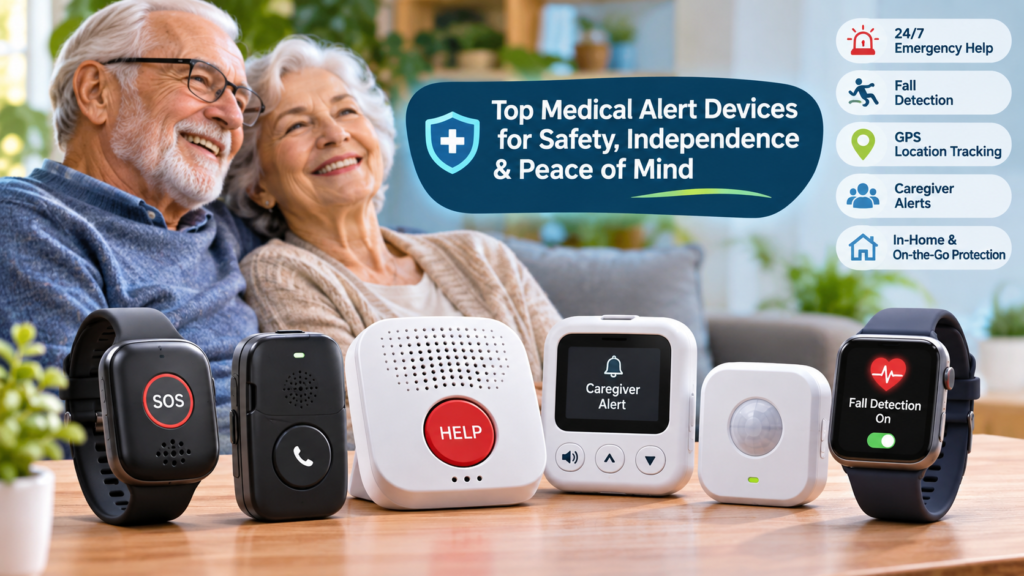
The best medical alert systems do more than provide an emergency button. They establish a dependable connection between an older adult and someone capable of responding when a fall, sudden illness, injury, or unexpected medical emergency makes an ordinary phone difficult to reach.
For someone living independently, that connection may mean speaking directly with a trained emergency operator. For another person, it may mean alerting a family caregiver in the next room. Increasingly, medical alert devices also incorporate automatic fall detection, location assistance, activity monitoring, and caregiver notifications.
But these technologies are not interchangeable.
A wearable emergency pendant does not provide the same protection as a smartwatch. A wireless caregiver pager cannot independently summon an ambulance. And a home monitoring system that recognizes unusual daily activity may not detect a person falling unless an appropriate fall-detection sensor is being worn.
Understanding those distinctions matters more than the number of features advertised.
This guide compares six of the best medical alert systems for seniors, including professionally monitored medical alert devices, mobile emergency buttons, subscription-free alternatives, home monitoring technology, and a mainstream smartwatch with fall detection.
For a broader overview of connected healthcare equipment, explore our Best medical devices guide.
Our recommendations:
- Best Overall: Medical Guardian MGMini
- Best Mobile Medical Alert: Lively Mobile2
- Best No-Monthly-Fee Device: LogicMark Guardian Alert 911 Plus
- Best Budget Caregiver Alert: CallToU Caregiver Pager
- Best Non-Wearable Home Monitoring: NOMO Smart Care
- Best Smartwatch with Fall Detection: Apple Watch SE 3
Updated: November 2026 | Primary market: United States
Affiliate Disclosure: TeleGeriatric.com participates in the Amazon Services LLC Associates Program. As an Amazon Associate, we earn from qualifying purchases. Some links may earn us a commission at no additional cost to you. Our product assessments distinguish manufacturer-reported capabilities from independently verified performance; we do not claim to have conducted hands-on testing of these six products.
Important: Medical alert systems are supplementary emergency communication tools. They cannot guarantee detection of every fall, an uninterrupted connection, or a particular emergency response time. Product availability, monitoring coverage, prices, and service terms should be confirmed before purchase.
Quick Picks: Best Medical Alert Systems at a Glance
Not every household needs a professionally monitored medical alert service. The appropriate device depends on mobility, living arrangements, caregiver availability, fall risk, and whether the person can reliably communicate during an emergency.
Jump to Our Recommended Medical Alert Devices
| Category | Recommended Product | Best Suited For |
|---|---|---|
| Best Overall | Medical Guardian MGMini | Independent seniors wanting professional monitoring |
| Best Mobile System | Lively Mobile2 | Active seniors requiring portable emergency assistance |
| Best Without Monthly Fees | LogicMark Guardian Alert 911 Plus | People comfortable with direct 911 communication |
| Best Budget Alert | CallToU Caregiver Pager | Households with an available caregiver |
| Best Home Monitoring | NOMO Smart Care | Families seeking activity awareness without cameras |
| Best Smartwatch | Apple Watch SE 3 | iPhone users comfortable with smartwatch technology |
Explore the Complete Guide
Comparison and Technology
- Medical Alert Systems Comparison Chart
- How Medical Alert Systems Work
- Best Medical Alert Systems with Fall Detection
- Medical Alert System Prices
Choosing and Using a Device
- How to Choose a Medical Alert System
- Setup and Safety Checklist
- Medicare, Medicaid, Insurance and VA Coverage
- Medical Alerts vs Remote Caregiver Monitoring
Questions and Recommendations
Best Medical Alert Systems Compared: 2026 Feature Chart
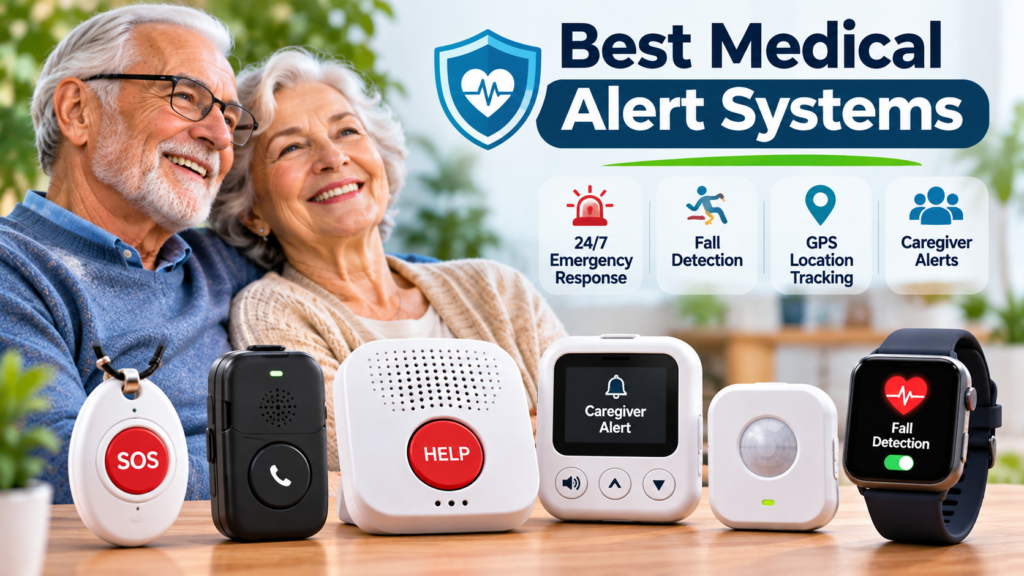
The strongest medical alert system is not necessarily the device with the most advanced hardware. Its usefulness depends on what happens after an alert is initiated.
A system that contacts a trained monitoring operator is fundamentally different from one that sounds an alarm inside the home.
Our comparison therefore prioritizes emergency response pathways, fall detection, communication, usability, recurring costs, and the limitations of each product category.
Medical Alert Devices Comparison Table
| Medical Alert System | Emergency Response | Automatic Fall Detection | Monthly Service | Primary Limitation |
|---|---|---|---|---|
| Medical Guardian MGMini | 24/7 professional monitoring | Optional paid add-on | Required | Ongoing monitoring expense |
| Lively Mobile2 | 24/7 Urgent Response agents | Optional paid add-on | Required | Requires Lively activation and service |
| LogicMark Guardian Alert 911 Plus | Direct 911 calling | Built in | None | No professional monitoring intermediary |
| CallToU Caregiver Pager | Local caregiver receives an alert | No | None | Does not independently call emergency services |
| NOMO Smart Care | Care Circle alerts and emergency monitoring | Available with a worn Tag and active plan | Required | Home-based; fall detection is not fully non-wearable |
| Apple Watch SE 3 | Emergency SOS to emergency services | Built in | No dedicated monitoring fee | Connectivity, setup, and regular charging required |
Features describe the specified models and configurations. Optional services may be necessary. These products provide different forms of protection and are not clinically equivalent.
How We Evaluate the Best Medical Alert Devices
Our editorial comparison examines six practical dimensions.
| Evaluation Dimension | What Matters |
|---|---|
| Emergency accessibility | Can the person initiate help under physical stress? |
| Response pathway | Does the alert reach emergency services, a trained operator, or a caregiver? |
| Fall protection | Is automatic detection available, and what conditions apply? |
| Communication reliability | Does the system depend on cellular coverage, Wi-Fi, or local radio range? |
| Everyday usability | Is the device comfortable, readable, easy to charge, and simple to operate? |
| Total ownership cost | What will equipment, subscriptions, and optional features cost over time? |
A product can perform well in one category while remaining unsuitable in another.
For example, CallToU is a sensible low-cost solution for a household with an attentive caregiver. It would be inappropriate to recommend it as a substitute for professionally monitored emergency protection for someone living alone.
Similarly, an Apple Watch provides several health and safety functions but introduces charging, configuration, and connectivity considerations that a dedicated emergency pendant may avoid.
How Do Medical Alert Systems Work?
A medical alert system is an emergency communication arrangement designed to help an individual request assistance when ordinary communication becomes difficult.
Traditional personal emergency response systems, often abbreviated PERS, typically include a wearable emergency button, a communication connection, and a designated response service.
Modern systems extend that arrangement with cellular networks, location assistance, automated detection, and smartphone notifications.
The Emergency Response Process
Medical alert response chart
| Stage | System Action | Practical Purpose |
|---|---|---|
| 1. Activation | User presses a button or a compatible sensor detects a possible fall | Identifies a potential emergency |
| 2. Connection | Device sends an alert through its available network | Establishes communication |
| 3. Assessment | Operator, emergency dispatcher, or caregiver receives the alert | Determines whether assistance is needed |
| 4. Escalation | Emergency services or designated contacts are notified | Organizes an appropriate response |
| 5. Follow-up | Depending on the system, the event may be logged or shared with caregivers | Supports awareness after the incident |
The actual pathway differs by device.
Medical Guardian and Lively typically connect users with monitoring personnel. LogicMark Guardian Alert 911 Plus calls 911 directly. CallToU activates a nearby receiver. Apple Watch can initiate emergency calling when the required communication connection is available.
Monitored vs Unmonitored Medical Alert Systems
A professionally monitored system introduces an intermediary between the individual and emergency services.
That intermediary may help assess the situation, communicate with the individual, and coordinate an appropriate response.
A direct-to-911 system removes this intermediary.
Neither arrangement is universally superior. A person who can communicate clearly may prefer direct emergency calling. Someone who becomes confused or struggles to explain a situation may benefit from an operator who can help coordinate assistance.
| Capability | Professionally Monitored | Direct-to-911 | Local Caregiver Pager |
|---|---|---|---|
| Trained monitoring intermediary | Yes | No | No |
| Emergency dispatcher connection | Through monitoring response | Directly | Requires caregiver action |
| Subscription typically required | Yes | Not necessarily | Usually no |
| Can work without an available family caregiver | Yes, with active coverage | Yes, with usable emergency connection | No |
| Suitable as a complete stand-alone solution for someone living alone | Potentially | Potentially | Generally no |
Medical Alert Systems Are Not the Same as Clinical Monitoring
Medical alert systems respond to a safety event. They do not necessarily measure blood pressure, blood glucose, cardiac rhythm, or oxygen saturation.
Medical alert services should therefore be distinguished from Advanced RPM Systems, which can collect physiological measurements for remote patient monitoring.
The two technologies can complement each other, but neither automatically replaces the other.
Best Overall: Medical Guardian Medical Alert Systems MGMini
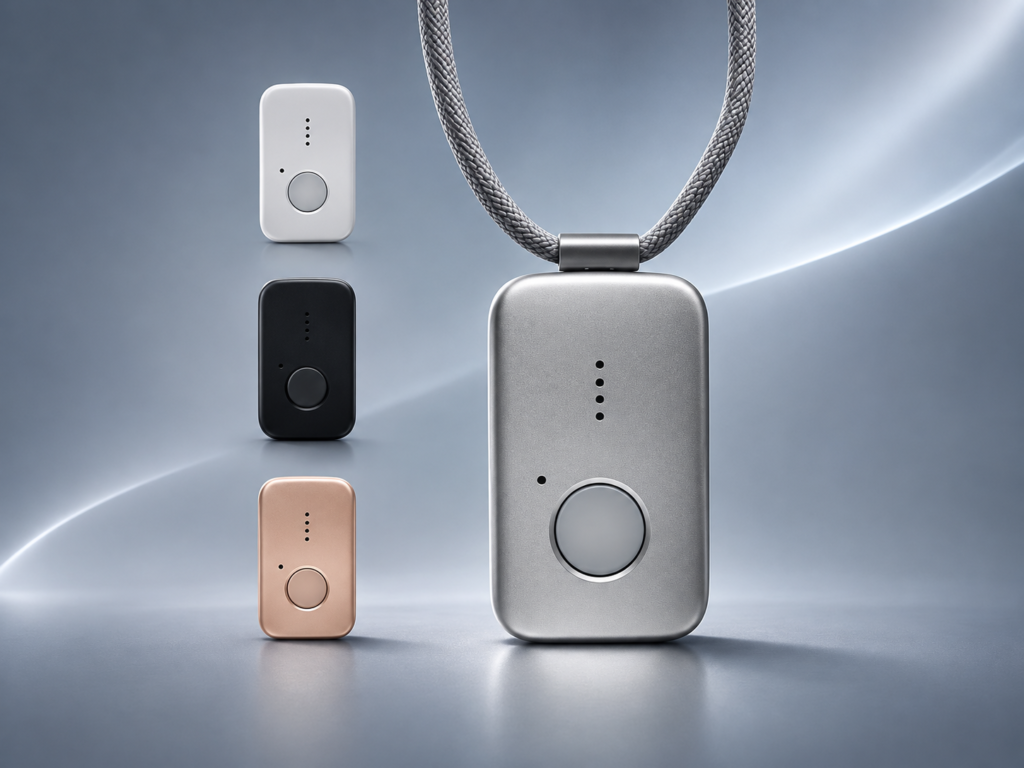
Best for: Independent older adults who want wearable emergency access, professional monitoring, and optional fall detection.
The Medical Guardian MGMini is our overall selection because it concentrates on a particularly important problem: making professional emergency assistance accessible without requiring the individual to navigate a smartphone.
Its design favors straightforward operation over complex interactions.
Medical Guardian offers several medical alert systems, but the MGMini is particularly relevant for seniors who want portable protection rather than a stationary home base.
Medical Guardian MGMini: Core Features
| Feature | Medical Guardian MGMini |
|---|---|
| System category | Mobile personal emergency response system |
| Communication | Built-in two-way voice |
| Monitoring | 24/7 professional monitoring |
| Connectivity | Cellular connection with location assistance |
| Battery life | Up to five days, manufacturer-rated |
| Wearing options | Neck lanyard or clothing clip |
| Water resistance | Shower-safe, according to manufacturer |
| Automatic fall detection | Optional add-on |
| Monitoring subscription | Required |
| Starting advertised service rate | From approximately $39.95/month under qualifying plan terms |
Why Medical Guardian MGMini Ranks Best Overall
1. An Emergency Button Designed for Immediate Access
In a medical emergency, usability becomes a safety feature.
A compact button is easier to understand than a menu-based interface, particularly for someone who may experience pain, dizziness, anxiety, or difficulty concentrating.
The MGMini provides a direct means of contacting Medical Guardian’s monitoring service.
The person does not need to unlock a smartphone, find an application, or select a contact before requesting assistance.
2. Professional Monitoring Adds a Communication Layer
The difference between an ordinary connected gadget and a monitored medical alert system becomes apparent after activation.
The MGMini connects to a monitoring response service through its built-in cellular connectivity.
An operator can speak with the individual using the device’s two-way audio connection and assist with arranging emergency support.
This is valuable for someone who might be unable to explain their location or contact a relative independently.
3. Portable Protection Beyond the House
The MGMini is designed for mobile use, including activities outside the home, subject to network coverage.
A person can wear the device while visiting neighbors, walking outdoors, shopping, or spending time away from a stationary telephone.
Medical Guardian also advertises access to multiple major cellular networks for the MGMini, although actual coverage and connection quality vary by location.
4. Multi-Day Battery Life
Medical Guardian advertises up to five days of MGMini battery life.
That reduces charging frequency compared with many general-purpose smartwatches.
However, battery estimates are not guarantees. Charging habits, cellular conditions, usage, and battery age can affect performance.
A predictable charging routine remains necessary.
Does Medical Guardian Have Fall Detection?
Yes. Medical Guardian MGMini supports automatic fall detection as an optional paid service.
The add-on uses a compatible fall-detection pendant with motion sensors. Medical Guardian lists an additional charge of approximately $10 per month.
This distinction matters: the standard emergency button and automatic fall detection are not identical functions.
For reliable use of the add-on, Medical Guardian recommends wearing the fall-detection pendant around the neck, outside clothing.
No automatic fall detection system can recognize every fall.
How Much Does Medical Guardian Cost?
The monthly monitoring expense depends on the payment arrangement and promotions.
Medical Guardian advertises MGMini service starting at approximately $39.95 per month under qualifying terms, with equipment typically priced separately.
An illustrative full-price equipment amount is $149.95, while automatic fall detection can add approximately $10 per month.
Before activation, confirm the equipment charge, recurring monitoring rate, fall-detection fee, cancellation terms, and whether the quoted rate requires annual payment.
Medical Guardian Reviews: Strengths and Limitations
Strengths
- Access to professional emergency monitoring.
- Direct two-way communication.
- Portable cellular operation.
- Up to five days of advertised battery life.
- Fall detection available.
- Simple physical emergency activation.
Limitations
- Ongoing subscription expense.
- Fall detection costs extra.
- Requires adequate cellular coverage.
- Not every emergency or fall can be detected automatically.
- The user must wear or keep the appropriate device accessible.
When comparing Medical Guardian reviews, verify the exact product model. Search listings sometimes use broad terms such as medical guardian guardian, but the MGMini, MGMini Lite, and other Medical Guardian products have different form factors, specifications, and charging requirements.
Editorial assessment: The MGMini is the strongest overall selection in this comparison for a senior who prioritizes dedicated emergency communication, simple operation, and monitored assistance over general smartwatch capabilities.
Best suited for: Seniors living independently, people with mobility limitations, and families seeking a professionally monitored mobile medical alert.
Best Mobile: Lively Mobile2 all-in-one Medical Alert System for Seniors
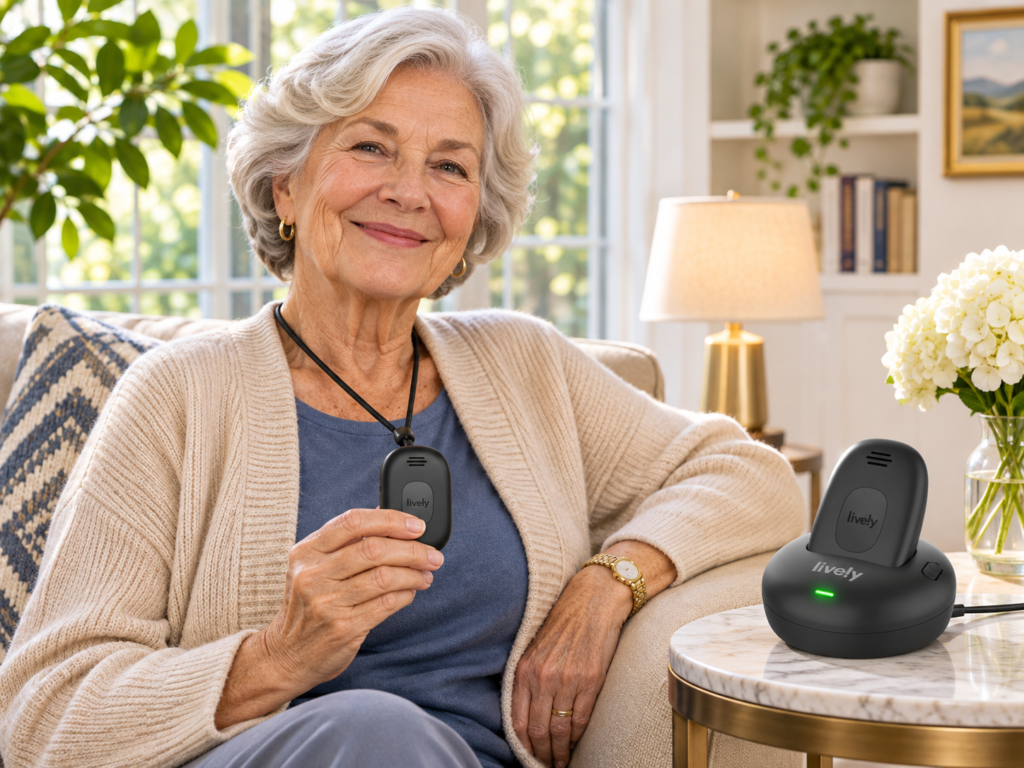
Best for: Seniors who spend time outside the home and want a straightforward mobile emergency device with location assistance.
The Lively Mobile2 All-in-One Medical Alert offers a focused alternative to complicated wearable technology.
It combines emergency communication, mobile connectivity, location assistance, and optional automatic fall detection into a compact device supported by Lively’s Urgent Response service.
For an older adult who still maintains an active routine, the Mobile2 may be easier to incorporate into daily life than a traditional home-only emergency button.
Lively Mobile2: Features and Specifications
| Feature | Lively Mobile2 |
|---|---|
| Category | Mobile medical alert device |
| Monitoring | Lively Urgent Response |
| Communication | Built-in two-way voice |
| Location assistance | GPS-supported location features |
| Automatic fall detection | Optional |
| Family connection | Lively Link features, subject to plan |
| Monthly service | Required |
| Basic plan | Advertised from approximately $24.99/month |
| Fall-detection add-on | Approximately $9.99/month |
| Carrier requirement | Lively service activation required |
Why Lively Mobile2 Is a Strong Starting Point
Dedicated Emergency Access Without a Smartphone Interface
The Mobile2 allows users to request assistance through its physical emergency button.
This minimizes the number of steps between recognizing a problem and initiating an emergency response.
For seniors uncomfortable with smartwatch menus, that simplicity can be particularly valuable.
Location Assistance During Emergencies
Location awareness is especially useful when the person cannot describe exactly where they are.
A fall near a walking path, shopping center, or unfamiliar neighborhood creates a different challenge from an accident inside a familiar house.
Lively’s location features can support its Urgent Response agents when coordinating assistance, although accuracy depends on available signals and environmental conditions.
A Service Model That Can Expand
Lively offers service tiers with different levels of support.
Some plans provide additional resources, such as access to health-related advice or expanded assistance.
However, the most expensive plan is not automatically necessary.
The first decision should be whether emergency response and optional fall detection provide sufficient protection for the individual’s needs.
Lively Mobile2 Fall Detection
Lively’s optional fall-detection feature uses motion sensing to identify potential falls and initiate contact with Urgent Response agents.
The feature costs approximately $9.99 per month in addition to the relevant service plan.
A person who is able to press the emergency button should still do so rather than relying exclusively on automatic detection.
Lively Mobile2 Cost and Subscription Requirements
Lively has advertised its Mobile2 hardware at a regular price of approximately $119.99, with promotional prices sometimes lower.
Its Basic service has been advertised at approximately $24.99 per month, excluding applicable taxes and fees.
The device requires activation with Lively service and cannot simply be transferred to an unrelated cellular service provider.
Lively Mobile2 vs Medical Guardian MGMini
| Comparison | Lively Mobile2 | Medical Guardian MGMini |
|---|---|---|
| Emergency response | Lively Urgent Response agents | Medical Guardian monitoring |
| Primary emphasis | Accessible mobile protection | Dedicated monitored protection |
| Location assistance | Yes | Yes |
| Fall detection | Optional paid add-on | Optional paid add-on |
| Service starting price | Generally lower advertised entry plan | Higher advertised entry rate |
| Best fit | Value-conscious mobile users | Seniors prioritizing a dedicated monitored device |
The most meaningful difference is not which company promises more reassurance.
It is the combination of subscription cost, wearing comfort, service arrangements, and how the individual intends to use the device.
Strengths
- Straightforward portable emergency operation.
- GPS-assisted location features.
- Professional Urgent Response service.
- Optional fall detection.
- Family-oriented features.
- Accessible starting subscription pricing.
Limitations
- Requires an active Lively plan.
- Fall detection is an additional expense.
- Not interchangeable with a standard cellular carrier.
- Location and emergency connectivity depend on network conditions.
Editorial assessment: Lively Mobile2 is an attractive mobile medical alert system for seniors who want professional emergency assistance without adopting a multipurpose smartwatch.
Medical alert systems can also support broader care arrangements. Our Telemedicine for Elderly Patients guide explains how remote consultations and connected care services fit into aging at home.
Best No-Monthly-Fee Medical Alert Device: LogicMark Guardian Alert 911 Plus
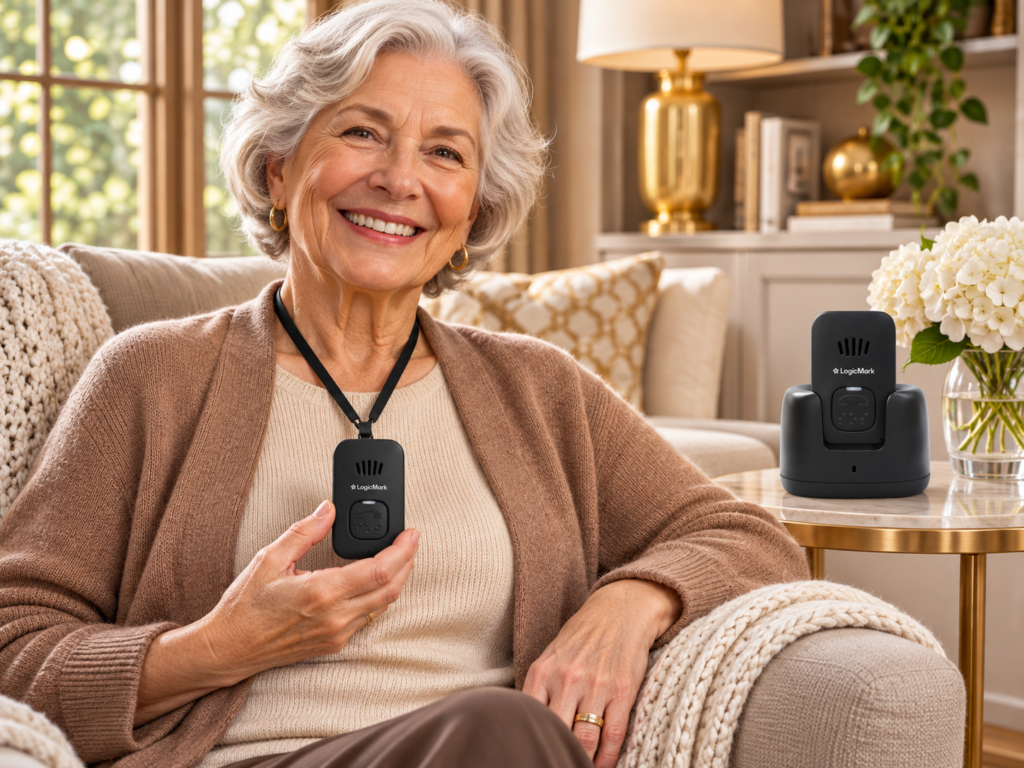
Best for: Individuals who want mobile emergency calling without recurring professional monitoring charges.
The LogicMark Guardian Alert 911 Plus occupies a distinctive position among the best medical alert devices.
Instead of connecting to a subscription monitoring center, it provides direct emergency communication with 911 through cellular connectivity.
That changes both the operating cost and the nature of the response.
LogicMark Guardian Alert 911 Plus: Specifications
| Feature | Guardian Alert 911 Plus |
|---|---|
| Communication | Direct two-way calling to 911 |
| Cellular technology | 4G LTE |
| Monthly monitoring fee | None |
| Automatic fall detection | Built in |
| Professional monitoring center | No |
| Landline requirement | None |
| Water-resistance rating | IP67 |
| Listed equipment price | Approximately $399 |
| Intended market | Areas with supported U.S. 911 and cellular service |
Why the Subscription-Free Design Matters
Most monitored medical alert systems involve an ongoing payment for staffing, connectivity, and response services.
LogicMark removes the private monitoring intermediary.
The individual can contact emergency dispatchers directly through the device, without maintaining a separate professional monitoring subscription.
Over several years, eliminating recurring fees can make a substantial financial difference.
However, a lack of monitoring fees should not be confused with identical service.
Built-In Fall Detection Without a Monitoring Subscription
An important feature of the current Guardian Alert 911 Plus is its built-in automatic fall detection.
When a qualifying fall is detected, the device is designed to initiate an emergency alert.
Older comparisons of LogicMark devices may describe different capabilities, so the specific Guardian Alert 911 Plus model should be confirmed before purchase.
Automatic detection remains imperfect and should not replace manual activation whenever the individual can press the button.
Direct 911 Calling: Advantage or Limitation?
Direct emergency calling can be a major advantage for a person who wants immediate communication with an emergency dispatcher.
It may be less suitable for someone who becomes confused, struggles to communicate, or frequently needs assistance that does not require emergency dispatch.
A professional monitoring service can help assess and coordinate a broader range of situations. Direct-to-911 systems follow a different path.
| Emergency Situation | LogicMark Guardian Alert 911 Plus |
|---|---|
| Person presses help button | Attempts direct 911 connection |
| Compatible fall event detected | Designed to initiate an alert |
| Person needs a private monitoring agent | Not provided |
| Family wants a subscription monitoring portal | Not its primary function |
| Individual wants to avoid monitoring fees | Particularly suitable |
LogicMark Advantages and Drawbacks
Strengths
- No monthly monitoring subscription.
- Direct 911 two-way communication.
- Built-in fall detection.
- Mobile cellular operation.
- No landline requirement.
- IP67 water-resistant design.
Limitations
- Higher initial equipment expense than some alternatives.
- No dedicated professional monitoring intermediary.
- Depends on compatible cellular and emergency service coverage.
- Not necessarily suitable for frequent non-emergency assistance.
- Emergency location information should not be assumed equivalent to a dedicated GPS tracking service.
Editorial assessment: LogicMark Guardian Alert 911 Plus is our strongest subscription-free medical alert device because it combines direct emergency calling with built-in fall detection.
Its value is greatest when the individual understands the device’s direct-to-911 operation and accepts the absence of a private monitoring center.
Best Budget Caregiver Alert System: CallToU Wireless Caregiver Pager
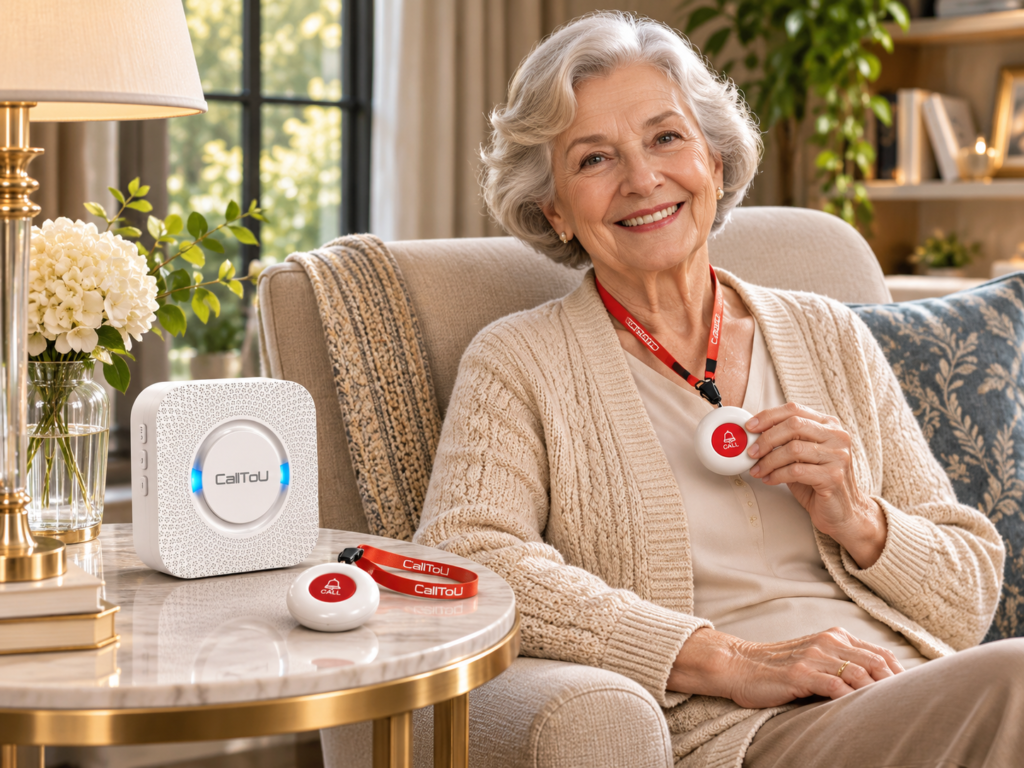
Best for: Seniors living with a family member, home aide, or another caregiver who can respond to an indoor alert.
The CallToU Wireless Caregiver Pager is fundamentally different from a monitored medical alert service.
It is an inexpensive communication system that helps an older adult attract the attention of someone nearby.
Its usefulness comes from simplicity.
A person presses a wireless call button, and a corresponding receiver produces an audible or visual alert.
No smartphone application, recurring monitoring contract, or internet connection is required for the basic system.
CallToU Wireless Caregiver Pager: Features
| Feature | CallToU Caregiver Pager |
|---|---|
| Device type | Wireless caregiver call system |
| Emergency connection | Local receiver alert |
| Professional monitoring | No |
| Automatic fall detection | No |
| Monthly fee | None |
| Connectivity | Local wireless signal |
| Receiver | Audible chime or alert |
| Typical configurations | One or more call buttons and receivers |
| Advertised open-area range | 500+ feet on certain kits |
| Listed example price | Approximately $42.99 for a two-button/two-receiver kit |
Range, accessories, and pricing vary across CallToU product configurations. The cited kit may be temporarily out of stock through the manufacturer.
Why CallToU Works Well for In-Home Care
Imagine an older adult who needs help getting out of bed at night.
Calling loudly may disturb the household or fail to reach someone in another room.
A caregiver pager offers a more direct communication method.
The individual presses a button, and a caregiver hears the alert from the connected receiver.
For households where help is already present, that can solve an everyday safety problem without an expensive monitoring arrangement.
What the CallToU Wireless Caregiver Pager Cannot Do
The CallToU system should not be marketed as equivalent to a professional medical alert device.
It does not independently contact 911, determine a medical emergency, or summon outside assistance.
If no caregiver is within hearing range, the alert may go unanswered.
Advertised wireless range generally reflects favorable conditions. Walls, floors, building materials, interference, and receiver placement can reduce usable range.
Practical Placement Strategy
A CallToU kit is most useful when installed around the individual’s normal routine.
Consider placing accessible buttons near the bed, favorite chair, or other frequently used locations, while ensuring the caregiver can hear or see the receiver.
Wearable or waterproof accessories should be selected according to the exact kit specifications.
Test the system throughout the actual home rather than relying on the advertised maximum range.
Strengths
- Low initial cost.
- No monthly subscription.
- Simple operation.
- Multiple receiver and button configurations.
- No internet connection required for basic paging.
- Useful for shared households and home caregiving.
Limitations
- Cannot independently summon emergency services.
- No automatic fall detection.
- Requires an available caregiver.
- Wireless coverage depends on home layout.
- Not appropriate as the sole emergency safeguard for most seniors living alone.
Editorial assessment: CallToU is the most practical budget option in our selection for local caregiver communication.
It earns its place because it solves a specific household problem, not because it provides the same protection as Medical Guardian or Lively.
Best Non-Wearable Elderly Monitoring System: NOMO Smart Care
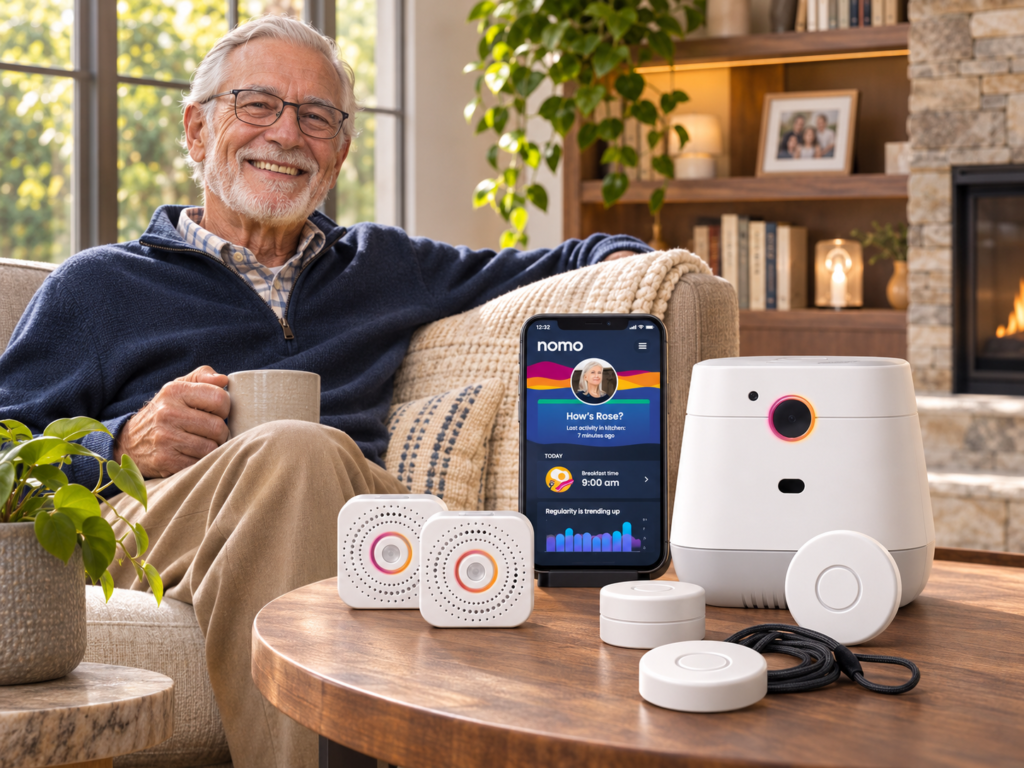
Best for: Families who want to understand changes in an older adult’s daily routine without installing cameras.
The NOMO Smart Care system approaches senior safety through environmental awareness rather than relying entirely on the person pressing an emergency button.
Its system of connected hardware can provide insight into movement patterns, activity, and changes in normal household routines.
This makes it particularly relevant to family members supporting an older adult who lives independently.
How NOMO Smart Care Works
NOMO uses a central Hub, additional Satellites, and Tags.
The Hub coordinates the system, while Satellites help extend awareness across selected areas of the home.
The companion application can notify participating caregivers about unusual activity or relevant events.
A typical Essential Care Kit includes one Hub, two Satellites, and four Tags.
NOMO Smart Care Features
| Feature | NOMO Smart Care |
|---|---|
| System type | Home activity and safety monitoring |
| Video cameras | Not required |
| Main hardware | Hub, Satellites, Tags |
| Caregiver access | Care Circle mobile application |
| Routine awareness | Yes |
| Automatic fall detection | Yes, with an appropriately worn Tag and active subscription |
| Professional emergency monitoring | Available through required service |
| Equipment starting price | Approximately $199.99 |
| Subscription | Approximately $19.99/month |
| Availability | United States only, according to manufacturer |
The Advantage of Monitoring Routine Rather Than Location Alone
Traditional emergency buttons concentrate on a single question:
Has the individual requested assistance?
NOMO introduces another:
Is something unusual happening in the home?
Changes in normal activity can occasionally signal that a person needs checking on, even when no emergency button has been pressed.
For example, a caregiver might investigate a significant interruption to an established daily routine.
That alert is not a diagnosis.
A change in activity can reflect harmless circumstances, a disconnected sensor, visitors, altered sleep habits, or many other explanations.
The system is best understood as a means of providing additional household awareness.
Is NOMO Really a Non-Wearable Fall Detection System?
This distinction is important.
NOMO can monitor aspects of household activity without requiring the person to wear a device. However, its automatic fall detection uses a Tag worn as a pendant.
The Tag contains the motion-sensing technology used to identify possible falls.
Consequently, NOMO should not be described as providing complete automatic fall detection without any wearable hardware.
Its non-wearable advantage applies primarily to ambient household monitoring.
NOMO for Families Supporting Independent Seniors
NOMO allows participating caregivers to receive relevant notifications through its Care Circle arrangement.
This can be useful when multiple family members share responsibility for checking on an older relative.
For a broader comparison of caregiver-focused systems, see our guide to the best remote caregiver monitoring systems.
NOMO Smart Care Strengths and Limitations
Strengths
- Privacy-oriented monitoring without cameras.
- Insight into household routines.
- Caregiver notifications.
- Expandable sensor arrangement.
- Optional wearable-based automatic fall detection.
- Professional emergency services through its subscription.
Limitations
- Active subscription required for core monitoring features.
- Initial equipment and installation costs.
- Depends on appropriate sensor placement and connectivity.
- Automatic fall detection requires a worn Tag.
- Cannot determine the medical cause of an activity change.
- Limited to the manufacturer’s supported geographic market.
Editorial assessment: NOMO Smart Care is particularly appealing for families who want ongoing household awareness rather than only an emergency button.
It is best considered a home monitoring platform with emergency functionality, not a direct replacement for every type of wearable medical alert.
Best Smartwatch with Fall Detection: Apple Watch SE 3
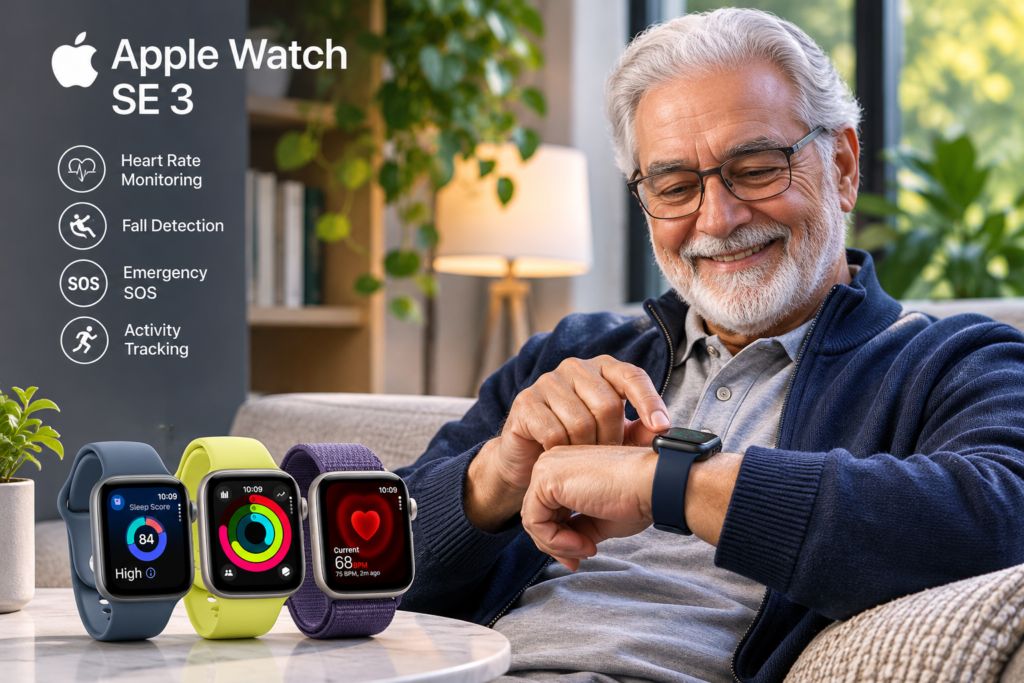
Best for: Active seniors who use an iPhone and want safety features combined with everyday smartwatch functions.
The Apple Watch SE 3 represents a different approach to personal safety.
Rather than operating as a dedicated subscription medical alert system, it integrates emergency communication, fall detection, heart-rate information, location features, and everyday connectivity into a general-purpose wearable.
For an individual already comfortable with Apple products, the result can be more attractive than wearing a separate emergency pendant.
Apple Watch SE 3: Core Specifications
| Feature | Apple Watch SE 3 |
|---|---|
| Release date | September 19, 2025 |
| Case sizes | 40mm and 44mm |
| Display | Always-On Retina |
| Processor | S10 |
| Emergency SOS | Yes, with required connectivity |
| Fall Detection | Yes |
| Crash Detection | Yes |
| Heart-rate monitoring | Yes |
| ECG app | No |
| Battery life | Up to 18 hours of normal use |
| Water resistance | 50 meters, ISO 22810 |
| Starting launch price | $249 in the U.S. |
| Versions | GPS and GPS + Cellular |
How Apple Watch SE 3 Fall Detection Works
When Apple Watch detects a possible hard fall, it can alert the wearer using a vibration, sound, and on-screen message.
The person can dismiss the alert or request emergency assistance.
If the watch detects prolonged immobility after a hard fall, it may automatically attempt an emergency call.
Emergency contact notifications can also be part of the response.
However, several conditions affect this process:
- The watch must be worn correctly.
- Fall Detection and Wrist Detection must be appropriately configured.
- Emergency calling requires supported connectivity.
- The device must have sufficient battery power.
- The system cannot recognize every fall.
Apple automatically enables Fall Detection for people aged 55 and older when age information is correctly entered during setup. Users should still verify their settings.
Apple Watch SE 3 40mm vs 44mm for Seniors
Case size influences more than appearance.
A larger display may improve readability, while a smaller case may be more comfortable for an individual with a narrow wrist.
| Consideration | Apple Watch SE 3 40mm | Apple Watch SE 3 44mm |
|---|---|---|
| Case dimensions | Smaller | Larger |
| Weight | Lighter | Heavier |
| Display area | Smaller | Larger |
| Suitable preference | Compact, lightweight fit | More viewing space |
| Emergency features | Same core capabilities | Same core capabilities |
The Apple Watch SE 3 40mm may suit a person who dislikes bulky wearables.
The 44mm version may be preferable for someone who values larger on-screen controls.
Neither case size guarantees easier emergency operation. Wrist fit, dexterity, visual comfort, and individual familiarity should guide the selection.
Apple Watch SE 3 vs Series 11
The Apple Watch SE 3 and Series 11 offer overlapping safety features, but they differ in their broader health capabilities.
| Feature | Apple Watch SE 3 | Apple Watch Series 11 |
|---|---|---|
| Fall Detection | Yes | Yes |
| Emergency SOS | Yes | Yes |
| Case sizes | 40mm / 44mm | 42mm / 46mm |
| ECG app | No | Yes |
| Blood Oxygen app | No | Yes, subject to regional availability |
| Heart-rate notifications | Yes | Yes |
| Sleep tracking | Yes | Yes |
| Advertised normal-use battery | Up to 18 hours | Up to 24 hours |
| Main appeal | Lower-cost safety and smartwatch functions | More extensive health features |
For an individual primarily interested in fall detection and emergency communication, the SE 3 may provide sufficient functionality.
Someone who also values the Series 11’s additional health features and longer rated battery life may prefer that model.
Neither watch is a substitute for professional cardiac monitoring or clinical assessment.
Does Apple Watch SE 3 Need Cellular Service?
This is one of the most important considerations when evaluating Apple Watch as a medical alert device.
The GPS version can access certain communication functions through an appropriately connected nearby iPhone or supported Wi-Fi calling arrangement.
A GPS + Cellular model offers more independence from the iPhone, provided a compatible network and the necessary service arrangements are available.
For a person who regularly leaves their iPhone behind, cellular capability deserves particular attention.
Do not assume that every Apple Watch configuration will independently place emergency calls in every location.
Apple Watch SE 3 Advantages and Limitations
Strengths
- Automatic fall detection.
- Emergency SOS functionality.
- Heart-rate and activity features.
- Familiar smartwatch applications.
- Always-On display.
- No dedicated medical alert monitoring subscription.
- Choice of case sizes and connectivity configurations.
Limitations
- Requires regular charging.
- May depend on a nearby iPhone or compatible cellular service.
- Requires more setup than a basic emergency pendant.
- No dedicated human monitoring center included.
- Does not include the ECG app.
- Fall detection cannot identify every incident.
Editorial assessment: Apple Watch SE 3 is our preferred mainstream smartwatch for seniors who want practical emergency features without committing to a dedicated monitored medical alert subscription.
It is especially attractive for active iPhone users who will consistently wear, charge, and maintain the device.
Best Medical Alert Systems with Fall Detection: What Actually Changes
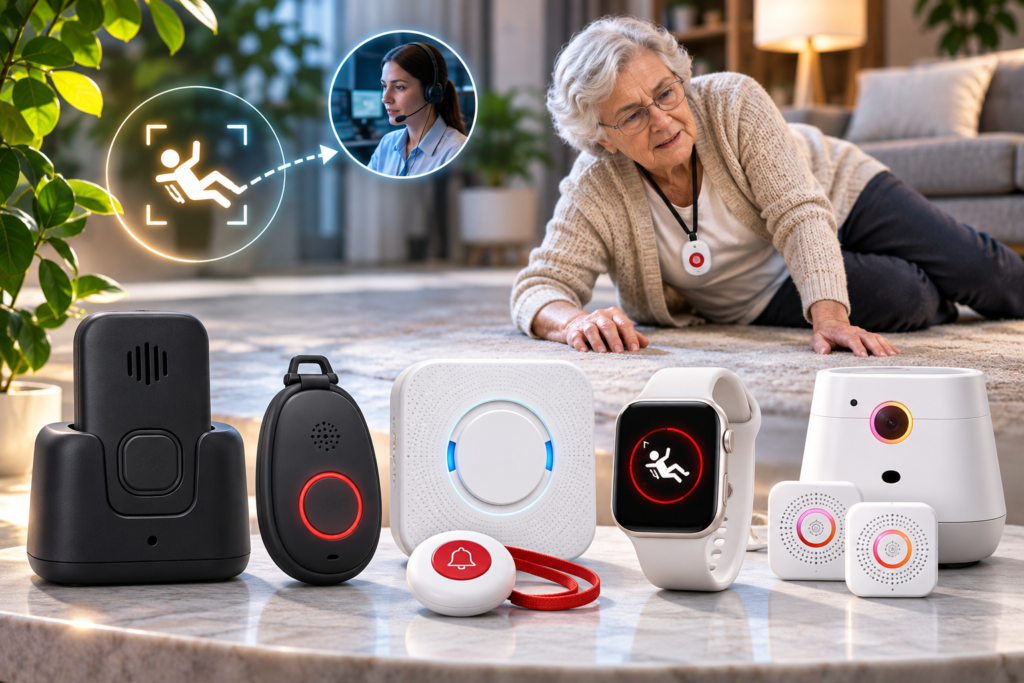
Automatic fall detection is one of the most significant features separating advanced medical alert systems from simple emergency buttons.
It addresses an important limitation of manual activation: the person may not always be able to press the button after an accident.
However, fall detection is not one uniform technology.
Different devices use different sensor arrangements, thresholds, placement requirements, and response procedures.
Best Fall Detection Medical Alert Devices Compared
| Device | Automatic Fall Detection | Additional Cost | Key Condition |
|---|---|---|---|
| Medical Guardian MGMini | Available | Approx. $10/month | Compatible fall-detection pendant |
| Lively Mobile2 | Available | Approx. $9.99/month | Active service and add-on |
| LogicMark Guardian Alert 911 Plus | Built in | No monthly add-on | Supported cellular connection |
| CallToU Caregiver Pager | Not available | — | Manual button only |
| NOMO Smart Care | Available | Included in required service arrangement | Tag must be worn correctly |
| Apple Watch SE 3 | Built in | No separate fall-detection fee | Appropriate settings, battery, and connectivity |
How Does Automatic Fall Detection Work?
Many wearable fall-detection systems use accelerometers and related motion sensors.
These components identify patterns such as rapid movement, impact, or abrupt changes in orientation.
A device may interpret a sufficiently unusual combination of signals as a possible fall.
The system then follows its programmed emergency response process.
Some devices allow time for cancellation. Others initiate contact with an operator or emergency dispatcher according to their service design.
Why Fall Detection Can Miss an Incident
Not every fall produces a dramatic impact.
An older adult may gradually slide from a chair, collapse against furniture, or descend to the floor with relatively little acceleration.
Such movements can be harder for impact-oriented sensing systems to distinguish from ordinary activity.
A sensor worn loosely or in the wrong location may also perform differently from one positioned according to manufacturer instructions.
This means automatic fall detection should be regarded as an additional opportunity to request help, not a guarantee that help will be requested.
False Alerts Are Also Possible
Normal activities can sometimes resemble the movements associated with a fall.
Depending on the device, vigorous physical activity, sudden impacts, or accidental handling may trigger an alert.
False alarms are inconvenient, but missed emergencies can carry more serious consequences.
An effective household arrangement therefore needs both a response plan for genuine alerts and a clear way to manage accidental activations.
Fall Detection vs Fall Prevention
Automatic detection responds to an event that may already have occurred.
Fall prevention seeks to reduce the likelihood of that event.
These are separate objectives.
A suitable safety strategy may include mobility assessment, appropriate footwear, medication review, safe lighting, grab bars, physical rehabilitation, and emergency communication.
A medical alert system can support that arrangement but cannot eliminate physical fall hazards.
Medical Alert System Prices: One-Year Cost Comparison
The cost of a medical alert system should be measured beyond its initial equipment price.
Two devices with similar purchase prices can have substantially different long-term expenses.
Monitoring subscriptions, fall-detection add-ons, additional equipment, network service, taxes, and payment terms all affect total ownership cost.
Medical Alert System Price Comparison
| Product | Example Equipment Cost | Ongoing Service | Illustrative First-Year Cost |
|---|---|---|---|
| Medical Guardian MGMini | $149.95 | $39.95/month equivalent on a qualifying annual arrangement | $629.35 |
| Lively Mobile2 | $119.99 | $24.99/month Basic | $419.87 |
| LogicMark Guardian Alert 911 Plus | $399.00 | No monitoring fee | $399.00 |
| CallToU Caregiver Pager | $42.99 | No monitoring fee | $42.99 |
| NOMO Smart Care | $199.99 | $19.99/month | $439.87 |
| Apple Watch SE 3 GPS | $249.00 launch starting price | No dedicated monitoring plan | $249.00 |
Illustrative U.S. pricing based on publicly advertised product and plan information. Figures assume twelve paid months at the stated rates, exclude taxes, shipping, activation or accessory charges, promotions, and cellular watch plans, and do not adjust for NOMO’s advertised trial period. Medical Guardian’s cited starting rate reflects qualifying plan terms. CallToU price refers to a specific kit that may be out of stock. Confirm current prices before purchasing.
How Fall Detection Changes the First-Year Cost
| Product | Base Example | Example with Fall Detection |
|---|---|---|
| Medical Guardian MGMini | $629.35 | $749.35 |
| Lively Mobile2 | $419.87 | $539.75 |
| LogicMark Guardian Alert 911 Plus | $399.00 | $399.00 |
| NOMO Smart Care | $439.87 | $439.87 with correctly worn Tag |
| Apple Watch SE 3 GPS | $249.00 | $249.00 with required connectivity |
| CallToU Caregiver Pager | $42.99 | Not available |
The totals are arithmetic illustrations, not guaranteed checkout quotes.
Understanding Total Cost Over Several Years
A useful formula is:
Total ownership cost = Equipment + Activation + (Monthly services × Number of months) + Accessories + Other required connectivity charges
For a monitored service, recurring payments may eventually exceed the equipment price.
For a subscription-free device, the financial emphasis shifts toward initial equipment cost, ongoing compatibility, replacement requirements, and the absence of a professional monitoring intermediary.
Is a No-Monthly-Fee Medical Alert System Actually Cheaper?
Often, over a sufficiently long ownership period, eliminating a recurring subscription can reduce the total amount paid.
But the comparison must account for the service being removed.
A $399 direct-to-911 device and a monitored emergency response service do not provide identical assistance.
The more important question is whether the individual needs professional response coordination or primarily wants a dependable way to call emergency services.
How to Choose a Medical Alert System for Seniors
Choosing the best medical alert system for seniors begins with the person’s actual living circumstances.
A product that is appropriate for a healthy, mobile individual may be unsuitable for someone with significant cognitive impairment, frequent falls, or limited ability to operate electronic devices.
Step 1: Identify Who Will Respond
Begin with the emergency response arrangement.
Will assistance come from a nearby caregiver, a professional monitoring center, or emergency dispatchers?
This decision determines the type of system required.
| Living Situation | Appropriate Starting Category |
|---|---|
| Senior living independently | Professionally monitored mobile alert |
| Senior living with an available caregiver | Wireless caregiver pager may be useful |
| Active senior away from home regularly | Mobile cellular medical alert |
| Person wanting to avoid monthly monitoring fees | Direct-to-911 device |
| Family needing awareness of household activity | Home monitoring system |
| Technologically comfortable iPhone user | Smartwatch with fall detection |
These are starting points rather than clinical prescriptions.
Step 2: Evaluate Communication Ability
Can the individual explain an emergency clearly?
Someone with a speech impairment, confusion, or difficulty remembering their location may need more response support than someone who can speak directly with emergency dispatchers.
A professionally monitored system may provide additional coordination, while families managing complex cognitive or medical needs should discuss an individualized emergency plan with the care team.
Step 3: Consider Fall Risk
Fall detection deserves particular consideration when an individual has experienced previous falls, has balance difficulties, or may be unable to press a button after an incident.
However, the individual must also be willing and able to wear the necessary hardware.
A sophisticated pendant left on a bedside table cannot detect a fall elsewhere.
Step 4: Verify Coverage Where the Person Actually Lives
Cellular coverage can vary between neighborhoods, buildings, and individual rooms.
Thick walls, underground spaces, remote locations, and unreliable infrastructure may affect connectivity.
Check whether the device is supported at the primary residence and in other frequently visited locations.
Step 5: Evaluate Battery and Charging Requirements
Battery life should be considered in relation to the person’s habits.
An individual who regularly forgets to charge devices may benefit from a longer-lasting dedicated alert pendant.
Someone already comfortable charging a phone daily may find a smartwatch acceptable.
The relevant question is not simply how long the battery lasts.
It is whether the device will remain powered during the hours when an emergency could occur.
Step 6: Consider Water Exposure
Bathrooms represent an important use environment for emergency alert devices.
Verify whether the exact device is appropriate for shower exposure and how it must be worn.
Water-resistant does not mean permanently waterproof.
Product-specific limitations should always guide use.
Step 7: Verify the Full Subscription Arrangement
Before purchasing, determine:
- Whether monitoring is included in the advertised equipment price.
- Whether fall detection requires an additional payment.
- Whether the plan must be paid annually.
- Whether cancellation carries any conditions.
- Whether the equipment must be returned.
- Whether caregiver notifications are included.
- Whether additional cellular charges apply.
A lower advertised monthly rate can be less attractive if it requires an arrangement that does not suit the household.
A Practical Medical Alert Selection Framework
| Priority | Recommended Starting Point | Main Trade-Off |
|---|---|---|
| Professional emergency monitoring | Medical Guardian MGMini | Ongoing fee |
| Mobile protection at a lower entry plan | Lively Mobile2 | Subscription and optional add-ons |
| No professional monitoring fee | LogicMark Guardian Alert 911 Plus | Direct emergency communication |
| Low-cost nearby caregiver assistance | CallToU | No independent emergency dispatch |
| Household routine awareness | NOMO Smart Care | Sensors, connectivity, and subscription |
| Everyday health and emergency features | Apple Watch SE 3 | Setup, connectivity, and charging |
Medical Alert Device Setup: A Practical Safety Checklist
The effectiveness of a medical alert system depends on configuration and daily use.
A good device with an incomplete setup may leave the individual with a false impression of protection.
Before the First Day of Use
- Activate the correct service. Confirm that any required monitoring or cellular plan is active.
- Set up emergency contacts. Enter current names and telephone numbers where supported.
- Test communication. Follow the manufacturer’s instructions to complete an approved system test.
- Check indoor coverage. Test commonly occupied rooms and any permitted bathroom or outdoor locations.
- Confirm device placement. Ensure the user can comfortably reach or wear the emergency button.
- Configure fall detection. Activate any optional feature and verify pendant placement or smartwatch settings.
- Establish charging habits. Select a regular charging time and arrange a backup plan during charging where possible.
- Discuss the response procedure. Make sure the individual understands what happens when help is requested.
Emergency Readiness Chart
| Potential Failure | Preventive Action |
|---|---|
| Device not worn | Establish a consistent wearing routine |
| Low battery | Check charging and battery alerts |
| Poor indoor coverage | Test the actual residence |
| Outdated contacts | Review emergency contacts periodically |
| Fall detection disabled | Confirm settings after setup or updates |
| Receiver not audible | Test caregiver pager from every relevant room |
| Monitoring plan inactive | Verify account and service status |
Medical Alert Systems Alongside Other Home Health Devices
An emergency button cannot tell a caregiver whether blood pressure is elevated or oxygen saturation has changed.
For some individuals, additional equipment may be appropriate for a clinician-directed home care plan, including blood pressure monitors, glucose meters, and fingertip pulse oximeters.
Such measurements should be interpreted according to the individual’s clinical instructions rather than treated as a replacement for an emergency response system.
Does Insurance Cover Medical Alert Systems? Medicare, Medicaid and VA
The question of whether insurance covers medical alert systems deserves careful attention because medical necessity does not automatically establish reimbursement eligibility.
Coverage depends on the type of insurance, benefits available under the particular plan, and the circumstances of the individual.
Are Medical Alert Devices Covered by Medicare?
Original Medicare, including Parts A and B, generally does not cover personal emergency response systems or standard medical alert subscriptions.
Medicare’s durable medical equipment rules distinguish emergency communication systems from equipment serving covered diagnostic or therapeutic purposes.
This means a medical alert pendant does not ordinarily qualify for Original Medicare reimbursement merely because it may be useful after a fall.
Does Medicare Pay for Medical Alert Devices Through Medicare Advantage?
Some Medicare Advantage plans may include medical alert equipment or services as an additional benefit.
However, these benefits are not universal.
A person considering a medical alert system should contact the specific Medicare Advantage provider and ask whether the plan includes a personal emergency response system.
Medical Alert Coverage Comparison
| Coverage Source | Typical Position | Recommended Action |
|---|---|---|
| Original Medicare Part A | Generally does not cover standard medical alert systems | Do not assume reimbursement |
| Original Medicare Part B | Generally does not cover standard medical alert systems | Check official Medicare policy |
| Medicare Advantage Part C | Some plans offer a medical alert benefit | Verify the specific plan |
| Medicaid | May offer support through qualifying state programs or waivers | Contact state Medicaid office |
| Private insurance | Coverage varies and is often limited | Request written benefit information |
| VA healthcare | Eligible veterans may qualify for assistance | Ask the VA care team |
| HSA/FSA | Some products or services may qualify | Confirm eligibility with the plan administrator |
Does the VA Provide Medical Alert Devices?
Some eligible veterans may receive medical alert equipment through Department of Veterans Affairs healthcare arrangements.
Eligibility is not automatic.
Factors may include difficulty communicating during emergencies, functional limitations, and the individual’s living circumstances.
A veteran interested in assistance should speak with their VA primary care team or relevant VA care coordinator.
VA materials have identified personal emergency response systems as potential resources for qualifying veterans.
How to Get a Free Medical Alert Device
A free medical alert device is not available through a universal federal entitlement.
Potential assistance pathways may include qualifying Medicare Advantage benefits, Medicaid home- and community-based programs, VA healthcare, or local aging-service organizations.
Some organizations may provide equipment on loan, while certain insurance benefits may include access to specific approved systems.
Before purchasing equipment independently, ask whether a provider requires use of a designated vendor.
A free device may still involve a monitoring subscription, equipment restrictions, or eligibility conditions.
Medical Alert Systems vs Remote Caregiver Monitoring
Medical alert systems and remote caregiver monitoring overlap, but they solve different problems.
A medical alert system primarily addresses the need for assistance during an emergency.
Remote caregiver monitoring can provide ongoing awareness of an individual’s activity, safety, or selected health information.
Understanding the Difference
| Function | Medical Alert System | Remote Caregiver Monitoring |
|---|---|---|
| Emergency button | Common | May be included |
| Professional emergency response | Common in monitored systems | Depends on product |
| Automatic fall detection | Available on selected devices | Available on selected systems |
| Daily activity patterns | Limited or optional | Often a major focus |
| Environmental sensors | Less common | Common |
| Family notifications | Product-dependent | Common |
| Physiological data | Usually limited | Available in some connected arrangements |
When Combining Systems Makes Sense
Consider an older adult who lives alone and has a history of falling.
A professionally monitored emergency pendant provides a direct pathway to assistance.
A separate home monitoring system may help relatives notice significant changes in routine.
The two services address different uncertainties:
- Emergency alert: Can the individual call for help?
- Activity monitoring: Has the individual’s normal routine changed?
For a person with complex chronic health needs, a clinician-directed monitoring program may add another dimension.
However, combining multiple devices also introduces cost, maintenance, notifications, and potential confusion.
Technology should reduce uncertainty rather than overwhelm the individual or caregiver.
Medical Alert Systems for Seniors with Dementia
Cognitive impairment complicates device selection.
An individual may forget to wear a pendant, misunderstand an alarm, remove a smartwatch, or be unable to communicate location information.
A caregiver should not assume that automatic fall detection also provides comprehensive dementia-related safety monitoring.
Wandering detection, location tracking, activity monitoring, and emergency communication are separate capabilities.
When cognitive difficulties affect independent safety, device selection should be part of a broader individualized care and supervision plan.
Frequently Asked Questions About Medical Alert Systems
1. What Is the Best Medical Alert System for Seniors Living Alone?
The best medical alert system for seniors living alone is generally one that can independently contact assistance without relying on a caregiver being nearby.
Medical Guardian MGMini is our preferred overall selection for professionally monitored emergency protection. Lively Mobile2 is a strong alternative for mobile users, while LogicMark Guardian Alert 911 Plus offers direct 911 calling without a monthly monitoring fee.
2. How Much Does Medical Guardian Cost Per Month?
Medical Guardian advertises MGMini monitoring starting at approximately $39.95 per month under qualifying plan terms.
Equipment is generally priced separately, and optional fall detection adds approximately $10 monthly.
The exact total depends on the subscription arrangement, current offers, and selected accessories.
3. Does Medical Guardian Have Fall Detection Built In?
Medical Guardian MGMini offers automatic fall detection through an optional compatible fall-detection pendant and paid service.
It should not be assumed that every basic MGMini configuration includes active automatic fall detection.
The add-on costs approximately $10 monthly, and no device detects every fall.
4. Are Medical Alert Devices Covered by Medicare or Insurance?
Standard medical alert systems are generally not covered under Original Medicare Parts A and B.
Some Medicare Advantage plans may provide medical alert benefits, and certain Medicaid or private insurance arrangements may offer assistance.
Coverage must be verified with the individual’s specific plan.
5. Does the VA Provide Medical Alert Devices for Veterans?
The VA may help qualifying veterans obtain medical alert equipment when appropriate to their healthcare and functional needs.
Availability and eligibility depend on individual circumstances and VA processes.
Veterans should discuss personal emergency response options with their VA primary care team.
Medical Alert FAQ Reference Table
| Question | Short Answer |
|---|---|
| Best medical alert system for living alone? | Consider professionally monitored systems |
| Medical Guardian monthly cost? | Starting around $39.95 under qualifying terms |
| Medical Guardian fall detection? | Available as a paid add-on |
| Does Medicare pay for medical alert devices? | Generally not under Original Medicare |
| Does VA provide medical alerts? | Potentially for eligible veterans |
People Also Ask: Medical Alert Devices for Seniors
1. What Is the Best Medical Alert Device for Seniors in 2026?
For dedicated monitored assistance, Medical Guardian MGMini is our preferred medical alert device.
Lively Mobile2 is a strong mobile alternative, LogicMark Guardian Alert 911 Plus suits subscription-free emergency calling, and Apple Watch SE 3 is useful for individuals wanting smartwatch functions alongside fall detection.
The most appropriate choice depends on the user’s mobility, communication abilities, and care arrangements.
2. How to Choose a Medical Alert System with Fall Detection?
Choose a medical alert system with fall detection by first identifying the required response pathway.
Then compare sensor placement, ongoing cost, connectivity, battery life, wearing comfort, and what happens after an automatic alert.
A system is only useful when the person can operate and consistently use the necessary hardware.
3. How to Get a Free Medical Alert Device for Seniors?
Start by checking the individual’s Medicare Advantage benefits, Medicaid eligibility, VA healthcare options, and local aging-service programs.
Some programs may provide approved medical alert equipment or subsidized services.
Eligibility is not guaranteed, and free equipment does not always mean free monitoring.
4. Is Apple Watch SE 3 Waterproof?
The Apple Watch SE 3 is water-resistant, not permanently waterproof.
It has a 50-meter water-resistance rating under ISO 22810 and is suitable for shallow-water activities such as swimming, subject to Apple’s instructions.
It is not designed for scuba diving or high-velocity water activities. Water resistance can diminish over time.
5. When Was Apple Watch SE 3 Released?
Apple announced the Apple Watch SE 3 on September 9, 2025, with retail availability beginning September 19, 2025.
It introduced an Always-On display, faster charging, the S10 processor, and additional health functionality while retaining emergency SOS and fall detection features.
People Also Ask Decision Chart
| Search Intent | Most Relevant Recommendation |
|---|---|
| Best medical alert device for seniors | Medical Guardian MGMini |
| How to choose fall detection | Compare response pathway and sensor configuration |
| Free medical alert devices | Check qualifying insurance and assistance programs |
| Apple Watch SE 3 waterproof | Water-resistant to 50m under specified conditions |
| Apple Watch SE 3 release date | September 19, 2025 |
Editorial Verdict: Which Medical Alert System Is Worth It?
The most consequential distinction among medical alert systems is not their appearance, their advertising, or even the sophistication of their sensors.
It is the connection between an emergency and an appropriate response.
For an older adult living independently, Medical Guardian MGMini offers the strongest combination in this selection of dedicated emergency activation, professional monitoring, portable connectivity, and optional fall detection.
Lively Mobile2 offers an appealing alternative for mobile users who want a more accessible starting service price.
LogicMark Guardian Alert 911 Plus is particularly attractive for individuals seeking direct 911 communication without recurring monitoring fees.
CallToU Caregiver Pager is a practical choice for inexpensive communication within an attended household, but should not be mistaken for an independent emergency response service.
NOMO Smart Care serves families who want greater awareness of an older person’s household activity, while Apple Watch SE 3 combines fall detection and emergency communication with the functions of an everyday smartwatch.
Our Recommendations by Individual Need
| Individual Priority | Recommended Medical Alert System |
|---|---|
| Reliable access to professional emergency monitoring | Medical Guardian MGMini |
| Portable emergency protection with accessible plan options | Lively Mobile2 |
| Direct emergency calling without monitoring subscriptions | LogicMark Guardian Alert 911 Plus |
| Affordable in-home caregiver communication | CallToU Caregiver Pager |
| Camera-free household monitoring | NOMO Smart Care |
| Fall detection with everyday smartwatch features | Apple Watch SE 3 |
The Next Direction in Medical Alert Technology
Medical alert technology is increasingly moving beyond isolated emergency buttons toward systems that connect safety events, mobility information, household activity, and caregiver communication.
That evolution has potential benefits, but it also creates a need for clearer distinctions between what a device measures, what it can infer, and what action it actually takes.
A home monitoring system may identify an unusual pattern without knowing its cause.
A smartwatch may detect a hard fall without guaranteeing that emergency services can be reached.
A medical alert pendant may successfully connect a user with an operator while providing no continuous physiological monitoring.
These limitations are not arguments against connected care. They are reasons to select devices according to their actual capabilities.
For seniors and caregivers, the most valuable technology remains the system that fits everyday behavior, maintains an appropriate emergency connection, and can be depended upon when assistance is needed.
Opportunities in the Growing Senior Care Market
The growing adoption of medical alert systems, remote caregiver monitoring, and connected healthcare technology is also creating opportunities for entrepreneurs and healthcare organizations expanding into elderly care. For those looking to buy a senior care business, acquiring an established digital healthcare platform can provide an alternative to building a new online presence from the ground up. TeleGeriatric.com, for example, is available for acquisition as a specialized geriatric telemedicine platform with a premium domain, patient assessment framework, and digital care-routing infrastructure.
Explore more senior healthcare technology, connected devices, and independent-living resources on the TeleGeriatric Homepage.
TeleGeriatric Editorial Position: A medical alert system should be evaluated by the reliability of its emergency communication pathway, the suitability of its response arrangements, and the likelihood that the individual will actually use it—not simply by the number of features advertised.